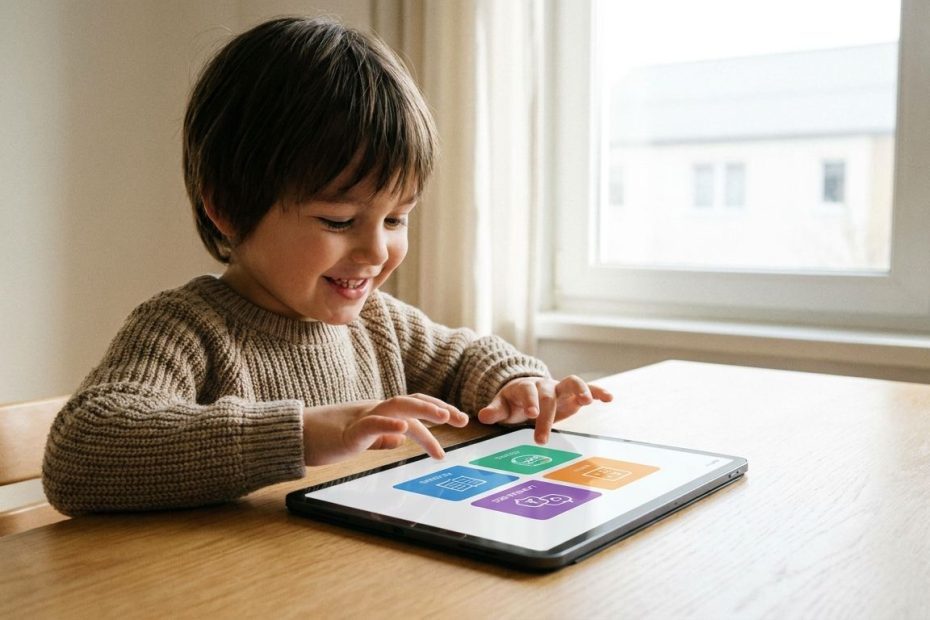
Educational apps make learning fun when they turn practice into play, keep lessons short, and give you a clear fit for your child’s age, skill level, and attention span. The best picks don’t just entertain your child for ten minutes; they help you build reading, math, language, coding, and problem-solving habits that actually stick.
If you’re choosing from a crowded app store, you need more than a random roundup. You need a shortlist that balances free value, skill coverage, ease of use, and the kind of game mechanics that keep kids coming back without draining your wallet. This guide gives you seven strong options, where each app fits best, and what you should watch before you download.
1. Khan Academy Kids
If you want the cleanest all-around choice for early learners, start here. Khan Academy Kids is built for children roughly ages two to eight, and it covers early reading, writing, phonics, math, stories, videos, and creative activities in one place. That matters when you want one app to carry more of the load instead of juggling separate tools for letters, counting, and beginner reading.
What makes it stand out is the value. It’s positioned as free, ad-free, and free of subscription pressure, which is rare in the kids app market. That gives you room to let your child explore without constant upgrade prompts breaking the flow. If you’re a parent of a preschooler, kindergartener, or early elementary student, this is one of the easiest recommendations to make because it covers a lot of ground without creating friction for you.
You’ll also notice that the experience feels more like guided play than digital worksheets. The app uses characters, story-driven lessons, read-aloud books, and short activities that help younger kids stay engaged. If your goal is to make screen time feel more useful without turning it into a battle, this app earns its place near the top of the list.
2. Prodigy Math
Prodigy Math works best when your child resists plain math practice but responds to quests, rewards, avatars, and game progress. The app wraps arithmetic and grade-level math work inside a role-playing game, which means your child often feels like they’re playing first and studying second. For reluctant learners, that shift in presentation can make a real difference.
You should choose Prodigy when motivation is the main issue. If your child already likes worksheets and structured drills, you may not need the game layer. If your child shuts down the second math looks like school, Prodigy can open the door again. That’s where it earns its reputation, not as the purest math app on the market, but as one of the best at getting kids to stay with the work longer.
You do need to go in with open eyes about monetization. Prodigy offers free math and English content, but memberships unlock extra features and game enhancements. That means the app can be a strong engagement tool, yet it may also create upgrade pressure if your child gets attached to premium perks. Used deliberately, it’s a smart pick for math motivation. Used passively, it can turn into one more source of “Can you buy this?”
3. Duolingo
Duolingo remains one of the easiest ways to make language learning feel light, fast, and game-like. The app is built around short lessons, streaks, rewards, and quick feedback, so it fits well when you want your child, or even yourself, to practice a language in small daily bursts. If consistency is your issue, Duolingo helps by lowering the effort needed to start.
Its biggest strength is momentum. You can pick it up for a few minutes, complete a lesson, and feel progress right away. That design keeps learners engaged far better than long, formal sessions that demand too much focus at once. The app also extends beyond languages into math, music, and chess, which broadens its appeal if you want a familiar interface for multiple skill areas.
The caveat is the free experience. Duolingo is still widely used, but many users have pushed back on how friendly the non-paid version feels. Ads, limits, and upgrade nudges can wear thin over time. If you want a fun language app and you don’t mind some friction, it’s still a strong option. If you want a calmer, less interrupted experience, you’ll want to weigh the paid tier before committing.
4. ScratchJr
ScratchJr is one of the best choices when you want your child to learn coding through creativity instead of rigid lessons. Rather than drilling syntax or forcing step-by-step programming modules, it lets young children build animations, stories, and mini-games with visual code blocks. That means your child learns sequencing, logic, and cause-and-effect by making things.
This is the right app when “fun” needs to mean active creation, not passive tapping. Kids move characters, build scenes, and test what happens when they connect commands in a certain order. That process develops early computational thinking without making coding feel technical or intimidating. For younger learners, that’s the sweet spot.
It also helps that ScratchJr has a clear educational identity. It comes out of respected educational work tied to the Massachusetts Institute of Technology and Tufts University, and it’s meant for children below the age range of the original Scratch platform. If you want your child to understand how digital tools work, not just consume them, ScratchJr is one of the smartest early steps you can make.
5. Epic!
Epic! is the reading app you pick when your child needs variety more than structure. It’s built as a digital library for kids twelve and under, with more than forty thousand books, audiobooks, and learning videos. That scale matters because reading gets easier to sustain when your child can move between topics, genres, and formats without waiting for the next library trip.
If your child says reading is boring, the issue is often selection, not reading itself. Epic! solves that by giving you a deep catalog that supports browsing, choice, and independence. One day your child reads nonfiction about animals, the next day a graphic-style title, then a read-aloud before bed. That kind of flexibility can pull a reluctant reader back in.
Pricing matters here, and you should factor it into your decision. Epic Family is listed with monthly and annual plans, so this one isn’t the “download and forget about it” kind of pick. Still, if reading volume is a priority in your home, the cost can be easier to justify than buying stacks of separate books. It’s a good fit when you want reading to feel abundant, easy to access, and less tied to one narrow skill track.
6. Minecraft Education
Minecraft Education is the best option on this list when you want learning to feel open-ended and hands-on. It takes the familiar Minecraft format and uses it for classroom-style projects, collaborative problem-solving, science activities, design tasks, and digital world-building. If your child learns best by doing, testing, and building, this app delivers a kind of learning that feels natural instead of forced.
This isn’t the app you choose for quick phonics drills or ten-minute repetition. You choose it when you want bigger learning experiences, especially in Science, Technology, Engineering, and Mathematics, often called STEM. Kids can explore systems, build structures, work together, and interact with lessons inside an environment that already feels engaging. That creates a strong bridge between play and academic work.
Access is the practical issue you need to check. Minecraft Education is tied to Microsoft licensing, and schools, educators, camps, clubs, and organizations may use different purchase routes. Some users may already have access through Microsoft 365 for Education plans, while others may need direct licenses. If your child already loves Minecraft, this can be one of the easiest ways to channel that interest into learning that feels productive.
7. Teach Your Monster To Read
Teach Your Monster to Read is one of the strongest phonics-based reading apps when your focus is early literacy. It’s designed for young children, often around ages three to six, and it uses a game structure that guides them through letter sounds, blending, early word reading, and sentence-level practice. If you want a reading app that feels playful without losing instructional value, this one deserves your attention.
The design is what makes it work. Your child creates a monster, moves through different reading activities, earns progress, and stays active instead of just watching content. That game loop gives beginner readers a reason to keep going through the repetition that phonics requires. Reading improvement often depends on consistency, and this app does a solid job of making repeated practice feel less like a chore.
You should still verify the current pricing model in your app store before buying. The official store listing presents it as a paid app without in-app purchases or in-game adverts, and the wider Teach Your Monster site continues to position it as a trusted phonics game. Since parents are often sensitive to pricing changes in kids apps, it’s worth checking the live listing before you commit. On learning design alone, though, it remains one of the better early reading choices available.
How Do You Choose The Right Educational App For Your Child?
You’ll make a better choice when you stop asking, “What’s the best app?” and start asking, “What problem am I solving?” If your child needs early learning support, Khan Academy Kids makes sense. If motivation is the issue, Prodigy may do more for you than a cleaner but less engaging math app. If you want language exposure in short bursts, Duolingo fits. If reading volume matters, Epic! is stronger. The right app depends on the job.
Age fit is the second filter you should use. Younger children need simple interfaces, guided navigation, and short activity loops. Older kids can handle open-ended creation, bigger projects, and more independent exploration. If you ignore age fit, even a good app can fail fast. Kids quit when the app feels too babyish, too confusing, or too slow.
After that, check the business model. Free can be great, but not when it comes with endless ads or frustrating limits. Paid can be worth it, but only when the learning value matches the cost. You want an app that supports attention, not one that constantly interrupts it. That’s the difference between an educational tool and a distraction wearing an education label.
Which Educational App Is Best For Making Learning Fun?
- Khan Academy Kids for early learning
- Prodigy Math for game-based math
- Duolingo for language practice
- ScratchJr for beginner coding
- Epic! for reading variety
- Minecraft Education for STEM projects
- Teach Your Monster to Read for phonics
Pick The App That Matches The Way Your Child Learns
The best educational app isn’t the one with the loudest branding or the longest feature list. It’s the one that gets your child to stay engaged long enough to build real skill. If you want a free early learning app, Khan Academy Kids is hard to beat. If you need math motivation, Prodigy earns its spot. If reading, coding, language, or STEM matters more in your home, the rest of this list gives you a clean path forward. Choose based on age, attention span, learning goal, and pricing fit, and you’ll get far more value from every minute on screen.

Mark R Graham is a private equity executive and co-founder of Drake, Goodwin & Graham, with over 20 years of experience in alternative assets and M&A. A former Vice President at Morgan Stanley and practicing attorney, he now focuses on strategic investments and educational philanthropy.