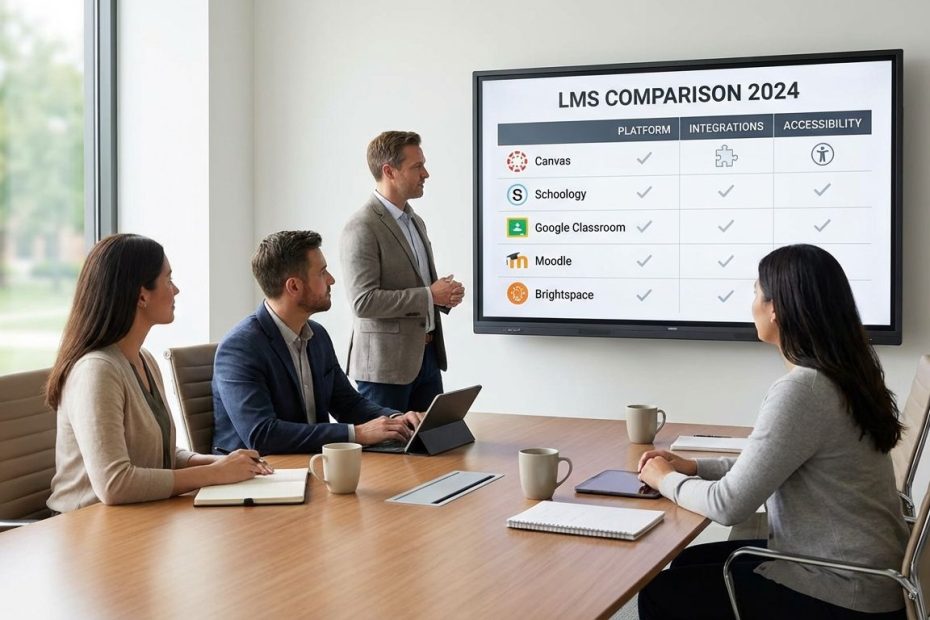
You’re comparing the “best” learning management systems (LMS) for schools, so the right answer is the platform that fits your district’s instruction model, IT capacity, privacy requirements, and SIS ecosystem, not the one with the loudest marketing. In practice, the strongest short list for most K–12 teams centers on Canvas, Schoology, Google Classroom, Moodle, and D2L Brightspace, with your final pick driven by integration depth, teacher workflow speed, reporting, and accessibility readiness.
This guide gives you a decision-ready way to compare school LMS options the way district leaders and edtech directors actually do it: requirements that survive procurement, details that matter during rollout, and tradeoffs teachers will feel on day one. You’ll also get real-world adoption signals, common community complaints, and a practical scoring approach you can defend in an RFP.
What Are People Actually Asking When Comparing School LMS Platforms Right Now?
You’re not just shopping for “an LMS,” you’re resolving the same set of repeat questions that show up in buying committees, IT tickets, and curriculum meetings. Current market guides and review hubs consistently frame K–12 LMS needs around reporting, communication, integrations/APIs, security/user administration, content delivery, and resource management.
In the field, the questions you’ll hear most often cluster around five themes: teacher speed, SIS rostering and grade passback, parent communication, accessibility requirements, and whether “lighter” tools like Classroom are enough. Real district usage patterns also show that LMS selection is usually tied to the email and SIS stack, with common combinations like Google + PowerSchool + Classroom/Canvas/Moodle appearing frequently.
What Is The Best Learning Management System For Schools In 2026?
The best LMS for schools in 2026 is the one that reliably supports your instructional model at scale, integrates cleanly with your SIS and identity systems, and reduces teacher workload without creating new IT overhead.
In practice, “best” usually breaks into best-for-fit buckets. If your schools need deep course design, strong integrations, and flexible grading, Canvas often lands in the finalist group. If you want a K–12-oriented workflow with parent visibility and tight SIS ties, Schoology is commonly evaluated. If you’re optimizing for simplicity and you already run Google Workspace heavily, Google Classroom stays attractive as a lightweight hub rather than a full enterprise LMS. Market guides also point to Brightspace when accessibility tooling and analytics carry extra weight, and Moodle when budget control and customization matter more than polish.
A veteran evaluation move is to stop arguing “best” in the abstract and force the decision into measurable success criteria. You can score each platform on: time-to-post an assignment, time-to-grade with rubrics, roster accuracy, help-desk ticket volume, standards alignment workflow, and reporting depth for MTSS/RTI-type monitoring. When you do that, the “best LMS” usually becomes obvious for your local constraints.
Which LMS Platforms Are Most Common In K–12 Districts And Why Does That Matter?
The most common K–12 LMS platforms show up in recurring stack pairings with major SIS products, and that matters because it predicts your integration effort, support patterns, and staffing needs.
A useful proxy for what districts actually run is implementation pairing data across email, SIS, and LMS. In those real-world pairings, you’ll see heavy representation for Google Workspace plus PowerSchool/Infinite Campus/Skyward, paired with Google Classroom, Canvas, Moodle, and Schoology at meaningful volumes. That’s not a popularity contest, it’s a practical signal: these combinations are common enough that integration patterns, troubleshooting playbooks, and staffing expectations are widely understood.
Here’s why it matters during selection. If your neighboring districts run the same SIS and LMS pairing, you can often benchmark timelines, staffing, and post-launch ticket categories with surprising accuracy. You can also recruit experienced admins and teacher leaders more easily, share migration practices, and avoid “novel integration” traps that turn into months of custom work.
Is Google Classroom A Real LMS For Schools Or Just A Classroom Workflow Tool?
Google Classroom works as a classroom workflow hub for assignment distribution and collection, but it often falls short of what districts mean by a full LMS when you need enterprise reporting, complex course design, and deeper governance.
You’ll hear this distinction bluntly in admin communities: moving from a full-featured LMS to Google Classroom can feel like losing structure, analytics, and tooling that matter in secondary and district-wide implementations. One recurring sentiment in K–12 sysadmin discussion is that Classroom “barely qualifies as an LMS” when compared with platforms like Canvas. That doesn’t make Classroom “bad,” it clarifies its sweet spot.
Classroom wins when speed and low friction dominate the requirements. Teachers post, students submit, everything lives naturally in Google Drive, and training time stays low. Classroom gets risky when you need consistent grading policy enforcement across departments, advanced release conditions, standards-based pathways, richer discussion moderation, stronger parent roles, or systemwide analytics that survive audits and board questions. In those environments, Classroom often becomes one piece of the ecosystem rather than the ecosystem.
Canvas Vs Schoology Vs Brightspace: How Do You Choose The Right One?
Choose between Canvas, Schoology, and Brightspace by matching each platform’s strengths to your district’s priorities: integrations and flexibility (Canvas), K–12 workflow and parent communication (Schoology), or accessibility tooling and structured analytics (Brightspace).
Start with Canvas. Canvas is often selected for districts that value a mature integration ecosystem and flexible course architecture, especially when secondary schools push complex grading, modules, and third-party tools. Its strength is letting teachers and departments build sophisticated experiences without forcing a single rigid template, provided governance is strong enough to prevent chaos.
Now Schoology. Schoology is frequently framed as K–12-friendly with strong communication patterns and parent access expectations built into the culture of how it’s deployed. In community feedback, the product’s fit can remain strong while concerns arise around support quality post-acquisition, which matters because LMS support responsiveness directly impacts instructional continuity. If your district runs PowerSchool SIS already, Schoology typically enters the conversation early, mainly because districts want fewer moving parts across rostering, grades, and identity.
Then Brightspace. Brightspace shows up when accessibility requirements and measurable learning experiences are major buying drivers. D2L positions Brightspace as accessible by default, and it also offers add-ons like Accessibility+ with automated checks against WCAG 2.2, guided remediation, and monitoring dashboards. If your team is under pressure to systematically improve course accessibility and document progress, this category of tooling can shift the entire selection outcome, not as a “nice-to-have,” but as an operational necessity.
Should A School Choose Moodle Or A Commercial LMS?
Choose Moodle when you want cost control, open-source flexibility, and you have the technical capacity to manage hosting, updates, integrations, and UX tuning, choose a commercial LMS when you want vendor-led operations, polished UX, and predictable support.
Moodle’s biggest advantage is also its main risk: you can shape it to fit your program, but your team must own more of the engineering and governance burden. Reviews and community commentary repeatedly point to a steep learning curve and UI complaints, even while experienced users defend its power once configured well. That split is important. Moodle can run extremely well in districts with strong instructional technology leadership and a clear course template strategy, and it can frustrate teachers when every campus configures it differently.
Commercial systems reduce that variability by packaging more of the operational burden into the vendor relationship. You trade some freedom for consistency: implementation playbooks, standardized analytics, contracted support paths, and often smoother mobile experiences. The veteran move here is to price Moodle honestly by including staffing, hosting, security patch cadence, plugin management, and accessibility QA. When those costs are counted, Moodle can still win, but it wins for the right reasons.
What Features Matter Most When Comparing LMS Systems For Schools?
The most important LMS features for schools are reporting, communication, integrations/APIs, security and role-based administration, content delivery tools, and learning resource management.
Industry evaluation criteria for K–12 LMS products commonly include: reporting, communication and collaboration, integration/APIs (including SIS and other tools), security/user administration, and content development and delivery. These categories sound broad, so it helps to translate them into what breaks during a school day.
Reporting means teachers and admins can answer basic questions fast: who hasn’t logged in, who is missing work, who is failing by standard, which interventions worked. Communication means teachers can reach students and families in the places they already operate, and the system logs those touches. Integrations mean rostering is automatic, grade passback works without CSV pain, and tools launch cleanly via standards-based methods. Security and roles mean you can control who sees what, keep audit logs, and avoid accidental exposure through misconfigured permissions. Content and resource management mean course creation is consistent, materials are reusable, and staff aren’t rebuilding the same units every year.
How Should You Evaluate LMS Accessibility, Privacy, And Compliance Readiness?
Evaluate LMS accessibility, privacy, and compliance readiness by requiring vendor documentation (including VPATs where applicable), testing real teacher workflows with assistive technology, and confirming how content is audited and remediated at scale.
A practical accessibility review goes beyond “the platform is accessible.” You need proof and process. D2L’s own documentation discusses accessibility support and how exceptions are documented, including\toggle for assistive technologies and references to accessibility standards alignment. What matters to a district is whether the LMS helps teachers create accessible content consistently, not just whether menus have proper labels.
That’s why content auditing and remediation capabilities are becoming a deciding factor. D2L’s Accessibility+ positioning describes automated auditing against WCAG standards, guided remediation, and monitoring, framed as an operational workflow rather than a one-time checkbox. Even if Brightspace isn’t your pick, you can use the same evaluation principle on any LMS: ask how you’ll measure accessibility across thousands of teacher-created pages, docs, and embedded media, and how you’ll reduce backlog without burning out your instructional tech team.
For privacy, your baseline should include data retention, audit logs, role-based permissions, SSO integration, and how third-party apps are approved and monitored. Your procurement team should also require clear language around student data usage and subcontractors. The LMS is a data hub, so weak governance turns into long-term risk.
How Do You Run A Fair LMS Pilot Without Burning Out Teachers?
Run a fair LMS pilot by limiting variables, using identical instructional tasks across platforms, measuring teacher time-on-task, and collecting student and parent feedback through structured prompts.
A pilot fails when every platform is tested differently. You need a controlled set of tasks that mirror daily work: create a module, post an assignment with a rubric, differentiate an activity, run a quiz, release feedback, message families, and export a basic progress report. You also need to test rostering, SSO, and grade passback using your real SIS environment, not a sandbox that hides integration problems until after purchase.
Teacher workload has to be treated as a measurable output. Ask pilot teachers to log minutes spent on core workflows during week one and week four, and correlate those numbers with help-desk tickets. If a platform “wins” on features but loses on workflow speed, adoption will lag, and you’ll end up paying twice: once for software, then again for coaching and cleanup. Admin communities also emphasize the practical pain of integrations that “mostly work” but periodically require manual reconnect steps, so include reliability checks in the pilot scorecard.
Parent and student feedback should be captured as short, repeatable questions: how many clicks to find work, how clear due dates are, how quickly grades and feedback are found, and whether notifications are useful or noisy. This is where platforms that look similar in demos separate fast.
How to Choose An LMS For Schools
- Pick an LMS that fits your SIS and identity stack
- Score teacher workflows, rostering, grade passback
- Require accessibility proof and a content remediation plan
Make Your LMS Decision Defensible, Then Make It Stick
Your LMS choice should survive three tests: it should reduce teacher friction, it should integrate cleanly with SIS and identity systems, and it should produce reporting you can use without a data analyst on standby. Keep your finalist list focused on platforms that match your staffing reality, not the feature checklist in a sales deck. Use a controlled pilot with the same tasks, the same rubric, and measurable time-on-task, and you’ll avoid the most common procurement regret. Once you select a platform, lock in governance early: course templates, app approval workflows, and training that targets daily classroom moves, not admin menus.

Mark R Graham is a private equity executive and co-founder of Drake, Goodwin & Graham, with over 20 years of experience in alternative assets and M&A. A former Vice President at Morgan Stanley and practicing attorney, he now focuses on strategic investments and educational philanthropy.