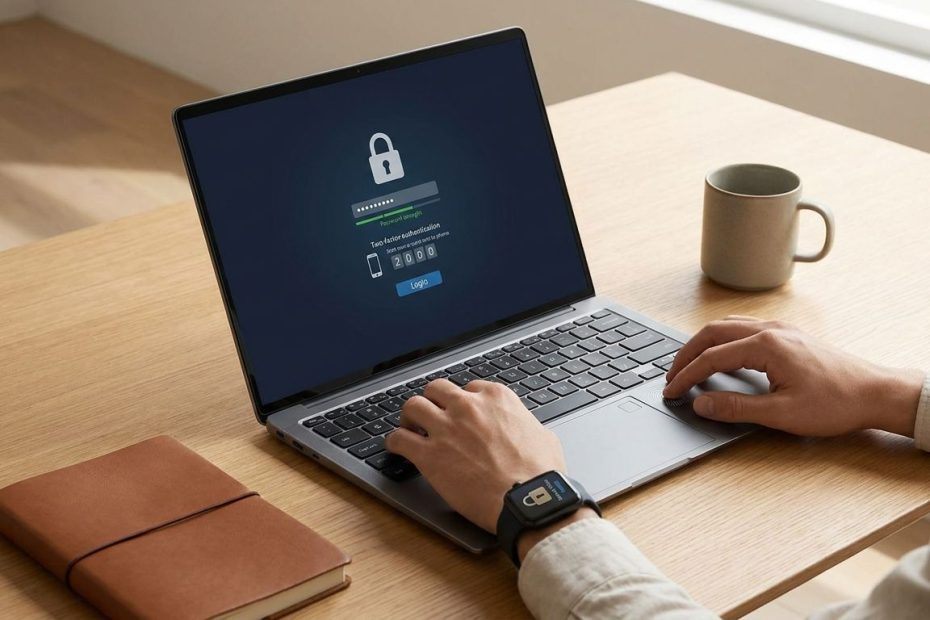
Academic account security starts with a few repeatable habits: use unique passwords, turn on multi-factor authentication, verify suspicious messages, secure your devices, and back up sensitive files. Those steps reduce the risk of account takeover, data loss, phishing damage, and unauthorized access to research or student records.
Your university login can open email, class portals, cloud storage, library databases, payroll forms, grades, research files, and collaboration tools. That makes it useful to attackers, not because you’re famous, but because your account gives them a trusted doorway into academic systems. The goal is to build layered protection that fits real student, faculty, and researcher routines.
Why Your Academic Account Is A Bigger Target Than You Think
Your academic account has value because it connects to trusted systems. A single login can lead to your email, Learning Management System (LMS), university cloud storage, library access, research folders, and internal directories. Attackers often prefer accounts that look ordinary because they can send messages from a trusted campus identity. When a message comes from a real university address, classmates, staff, and faculty are more likely to respond.
Education sector breaches often involve social engineering, system intrusion, stolen credentials, and phishing. That matches everyday campus life, where people receive constant notices about forms, grades, deadlines, grants, payroll, and shared documents. A fake login page can capture your password in seconds, then attackers can use your email to reach others. One compromised account can become a launch point for wider damage across a department or research group.
You also need to think beyond embarrassment or inconvenience. An account takeover can expose private messages, drafts, student records, recommendation letters, financial forms, unpublished research, and shared files. If ransomware reaches your device or synced storage, your current work can become unavailable at the worst possible time. Good security doesn’t need to slow you down; it needs to remove the easy wins attackers count on.
Build A Strong Password Foundation Without Losing Your Mind
A strong password foundation starts with one rule: every important account needs a long, unique password. Reusing the same password across personal and academic accounts creates a chain reaction. If one unrelated website leaks your login, an attacker can test the same email and password against university systems. That simple move, called credential stuffing, works because people reuse passwords under pressure.
Use a password manager to create and store unique passwords for university email, the LMS, cloud storage, banking, scholarship portals, and personal email. Your personal email matters because it often resets other accounts. Choose one strong master password that you can remember, then let the manager handle the rest. A memorable passphrase with several unrelated words is easier to type than a short password full of substitutions.
Do not save academic passwords in shared browsers, lab computers, classroom machines, or borrowed devices. If a browser asks to store your university login on a computer you don’t control, decline it. Avoid writing passwords on sticky notes, in plain text documents, or in phone notes without protection. Improving academic account security begins when your passwords stop traveling from account to account.
Multi-Factor Authentication: The One Step That Stops Most Attacks
Multi-factor authentication (MFA) adds another proof of identity after your password. That proof can be an authenticator app code, a push notification, a hardware security key, or another approved method from your institution. If attackers steal your password, MFA can still block access. It turns a stolen password from a master key into an incomplete attempt.
Authenticator apps and hardware security keys are usually stronger than text message codes. Text messages can be intercepted or redirected through phone account attacks, so use your university’s recommended option when available. If your school allows backup codes, store them in your password manager or another protected place. Do not keep recovery codes in the same backpack as your laptop if that laptop is your main login device.
Watch for MFA fatigue attacks. That happens when someone with your password sends repeated login prompts, hoping you tap approve just to stop the notifications. If you receive an unexpected MFA prompt, deny it and change your password from a trusted device. Then report the event to your campus information technology team so they can check for suspicious access.
How To Spot A Phishing Email That Looks Legit
Phishing works because it imitates normal academic pressure. A message may claim your registration is blocked, your mailbox is full, your grant form is due, your payroll access is changing, or your library account needs renewal. The sender name can look familiar, and the email can copy campus branding. Your safest habit is to slow down before entering credentials.
Check the sender address, not just the display name. Hover over links before clicking, and look for misspellings, strange domains, shortened links, or login pages that don’t match your university’s normal address. Be cautious with attachments you didn’t request, especially files that ask you to enable macros or sign in again. A real department should not pressure you to bypass normal login steps.
If a message feels urgent, verify it through a separate channel. Open the campus portal from a saved bookmark, call the department using a known number, or start a new email to an address listed on the official university site. Do not reply directly to the suspicious message and do not use phone numbers inside it. If you clicked a phishing link, change your password from a trusted device, revoke suspicious sessions if your account settings allow it, and report the message to your school’s security team.
Secure Your Devices And Networks On Campus And Off
Your account security depends on the devices you use to access it. Keep your laptop, phone, tablet, browser, and apps updated so known security flaws get patched. Turn on screen lock with a strong passcode, fingerprint, or face unlock, especially if you work in libraries, labs, cafes, classrooms, or shared offices. A logged-in laptop left unattended can give someone direct access without needing your password.
Install apps only from trusted sources and remove software you no longer use. Browser extensions deserve the same caution because they can read pages, capture data, or change how sites load. If your device supports full-disk encryption, turn it on so files are protected if the device is lost or stolen. Many current operating systems include built-in encryption options that only need setup and a recovery key.
Be careful on public and campus Wi-Fi. Use your institution’s secured wireless network when available, and avoid entering passwords on open networks that do not require proper authentication. A Virtual Private Network (VPN) can protect traffic on public Wi-Fi, but free VPN services can create privacy and reliability concerns. Use your university’s VPN or a reputable paid service when you need encrypted access away from campus.
Back Up And Encrypt Your Research Data Like A Pro
Backups protect you from ransomware, device theft, drive failure, sync mistakes, and accidental deletion. Store important files in more than one place, including a university-approved cloud service or secure external drive. A backup is only useful if you can restore it, so test recovery with a sample folder before you depend on it. Thesis drafts, grant files, datasets, notes, code, consent documents, and analysis outputs need planned protection.
Use version history when your cloud platform offers it. Versioning can save you when a file is overwritten, corrupted, or encrypted after syncing from an infected device. Do not rely on one synced folder as your only backup, since syncing can copy damage from one device to the cloud. For research projects, agree on storage locations, naming rules, access permissions, and retention steps before the work expands.
Encrypt sensitive data when it contains personal information, student records, private interview materials, or restricted research content. Your institution may require approved storage for data governed by department rules, sponsor agreements, or an Institutional Review Board (IRB). Avoid sending sensitive files as normal email attachments when secure sharing tools are available. Give access to people who need it, review permissions regularly, and remove access when a class, project, or appointment ends.
Understanding The Family Educational Rights And Privacy Act
The Family Educational Rights and Privacy Act (FERPA) governs how institutions handle student education records. If you work with grades, advising notes, enrollment information, class rosters, recommendation details, or identifiable student work, treat that data as protected. Your university is responsible for FERPA compliance, and your daily choices can affect whether records stay private. Student privacy protection is part of academic account security, not a separate paperwork task.
Do not store student records in personal cloud accounts unless your institution has approved that use. Do not post grades publicly, share class lists with unauthorized people, or leave identifiable records visible on shared screens. When discussing student information, use approved systems and limit the details to the people who have a legitimate academic reason to access them. If you are unsure whether a file counts as an education record, ask your registrar, department administrator, or privacy office before sharing it.
Personal notes can also raise questions when they include identifiable student details and are shared with others. Keep advising notes, grade explanations, and student communications in approved locations. Lock paper records in secure storage and shred them when retention rules allow disposal. For digital records, use access controls, encryption, and university-managed tools whenever possible.
What To Do Immediately If Your Account Is Compromised
If you think someone accessed your account, act fast from a trusted device. Change your university password, then change the password for any personal account that used the same or similar password. Review recovery email addresses, phone numbers, forwarding rules, filters, connected apps, and active sessions. Attackers sometimes hide access by adding mail rules that forward messages or delete security alerts.
Contact your campus information technology help desk or security office. Give them the time you noticed the problem, the suspicious message or link if you still have it, any files affected, and any unexpected login alerts. If research data or student records may be involved, notify your supervisor, department administrator, or data steward through the approved reporting process. Fast reporting helps the institution contain the damage and warn others who may receive messages from your account.
Check your devices for malware if you downloaded a file, enabled a script, installed unknown software, or saw strange browser behavior. Update your operating system and security tools before scanning. Revoke access for unknown apps connected to your university account and cloud storage. After the immediate cleanup, strengthen MFA, replace reused passwords, and review your backup status so the same weakness doesn’t remain open.
How Can You Protect Academic Accounts And Data?
- Use unique passwords.
- Turn on MFA.
- Verify links first.
- Update and lock devices.
- Back up files offsite.
- Encrypt sensitive data.
- Report compromise fast.
Make Academic Security A Habit You Can Keep
Protecting academic accounts and data works best when your habits are simple enough to repeat during a busy semester. Start with unique passwords and Multi-factor authentication (MFA), then tighten the parts of your routine that handle email, devices, networks, backups, and student records. The strongest setup is layered, so one mistake does not expose everything at once. If you handle research files or education records, use approved storage and ask before sharing uncertain data. Academic account security gets easier once the protective steps become part of how you study, teach, research, and collaborate every day.
References
- Verizon 2023 Data Breach Investigations Report, Public Sector
- Cybersecurity and Infrastructure Security Agency: School and University Cybersecurity
- National Institute of Standards and Technology: Digital Identity Guidelines
- EDUCAUSE Information Security Guide
- National Center for Education Statistics: School Survey on Crime and Safety
- Federal Trade Commission: How To Recognize And Avoid Phishing Scams
- University of California, Berkeley Information Security Office: Protecting Your Academic Data
- SANS Security Awareness: Higher Education Resources.

Mark R Graham is a private equity executive and co-founder of Drake, Goodwin & Graham, with over 20 years of experience in alternative assets and M&A. A former Vice President at Morgan Stanley and practicing attorney, he now focuses on strategic investments and educational philanthropy.